


sushiboxwrexham.co.uk
Sushi Box
Wrexham
Sushi Box uses dishGO for collection ordering on its own domain, sushiboxwrexham.co.uk.
- Collection
- Custom domain
Online ordering for independent restaurants
For collection, and delivery by your own drivers. Customers pay by card, straight into your own Stripe account.
Stripe’s card fees are separate.
Running a takeaway? See how online ordering works during service.

Live on dishGO
How it works
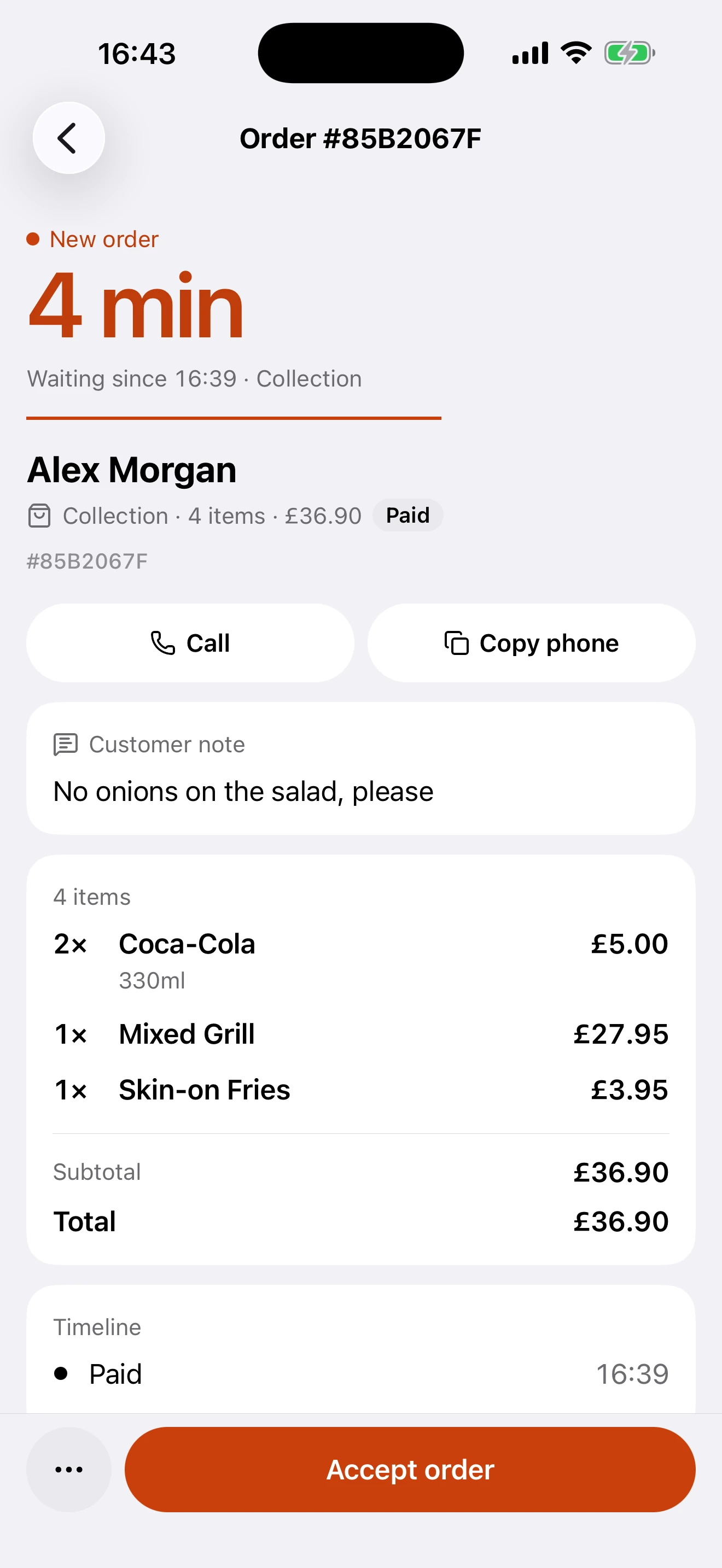
Customers order and pay on your own page, not on a marketplace. Only paid orders reach your team, in the dishGO Business app.
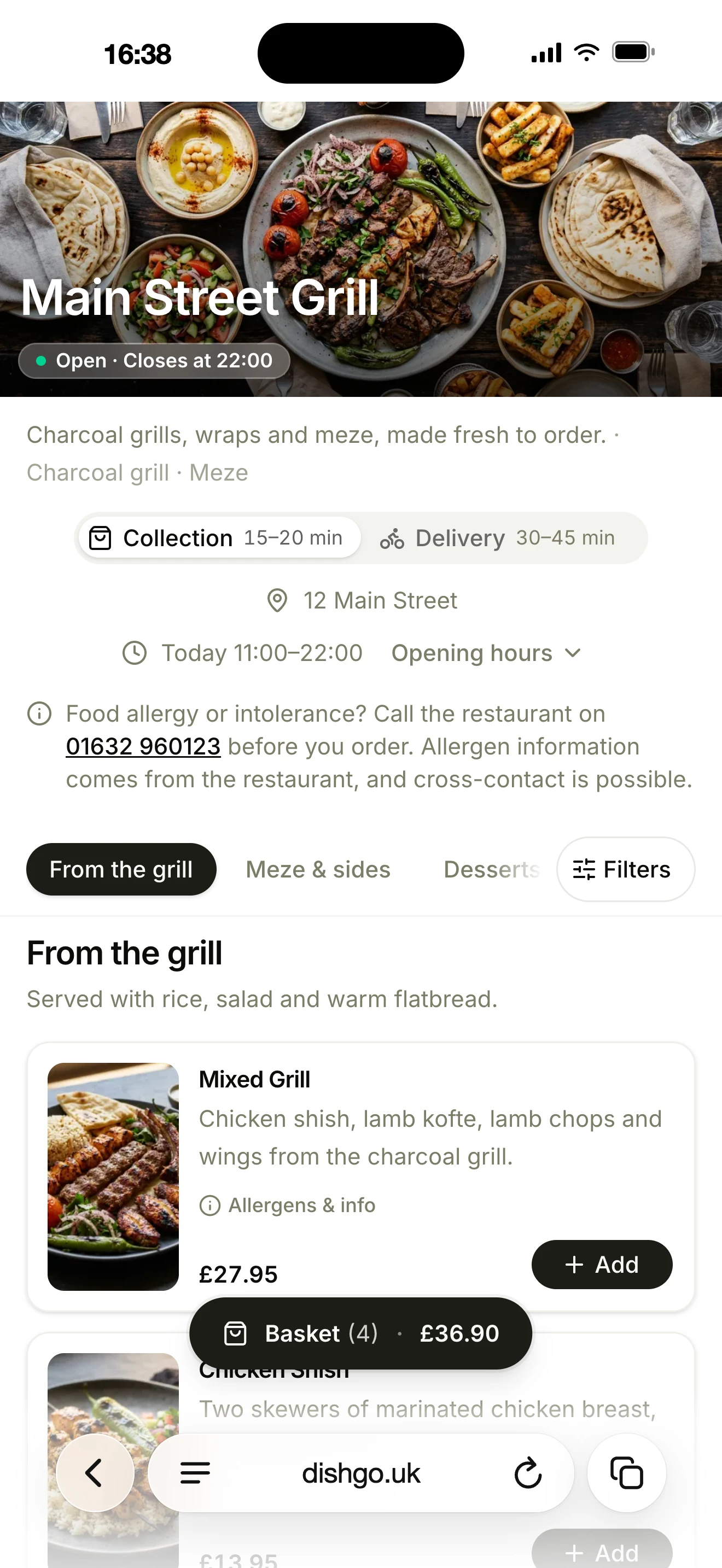
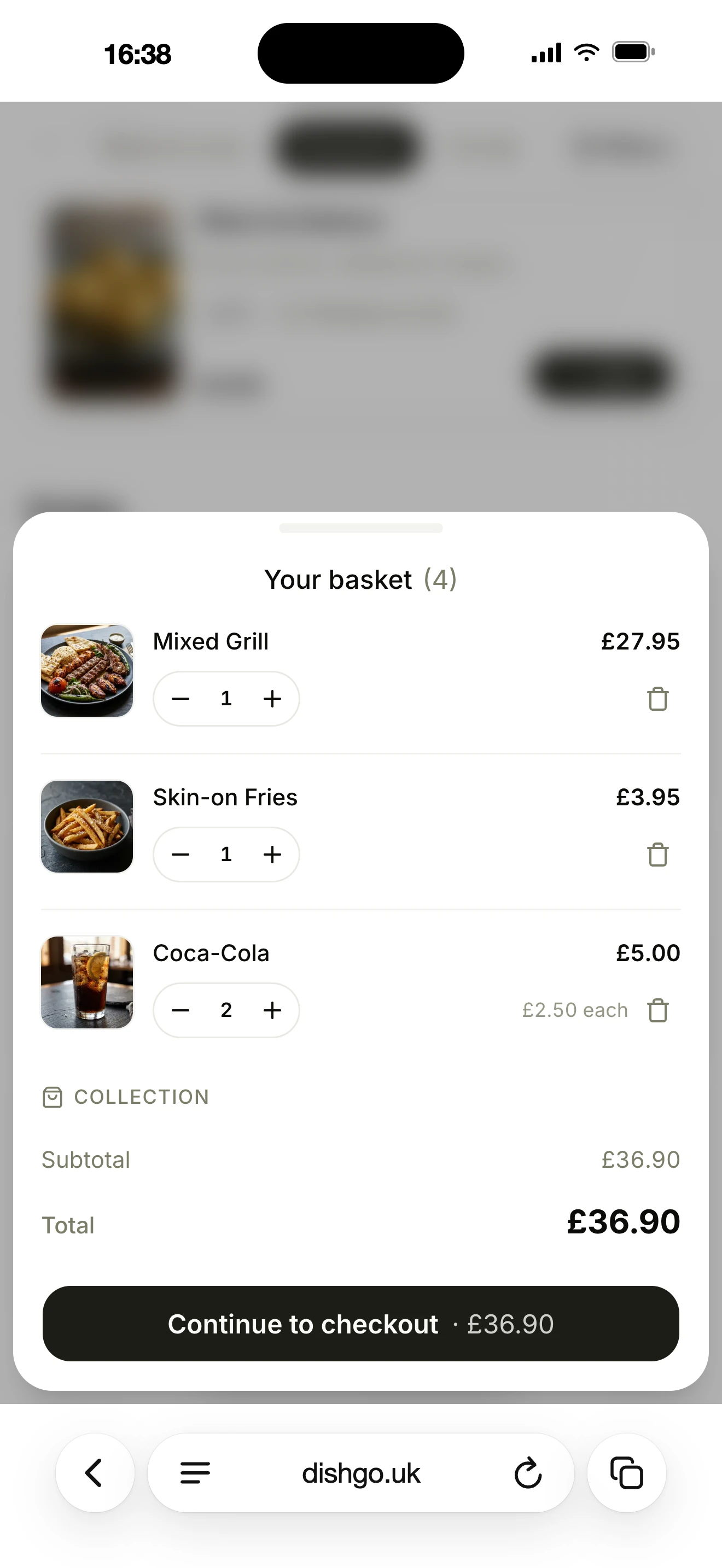
Your menu, photos and prices, for collection and delivery, on a dishGO link or your own subdomain.
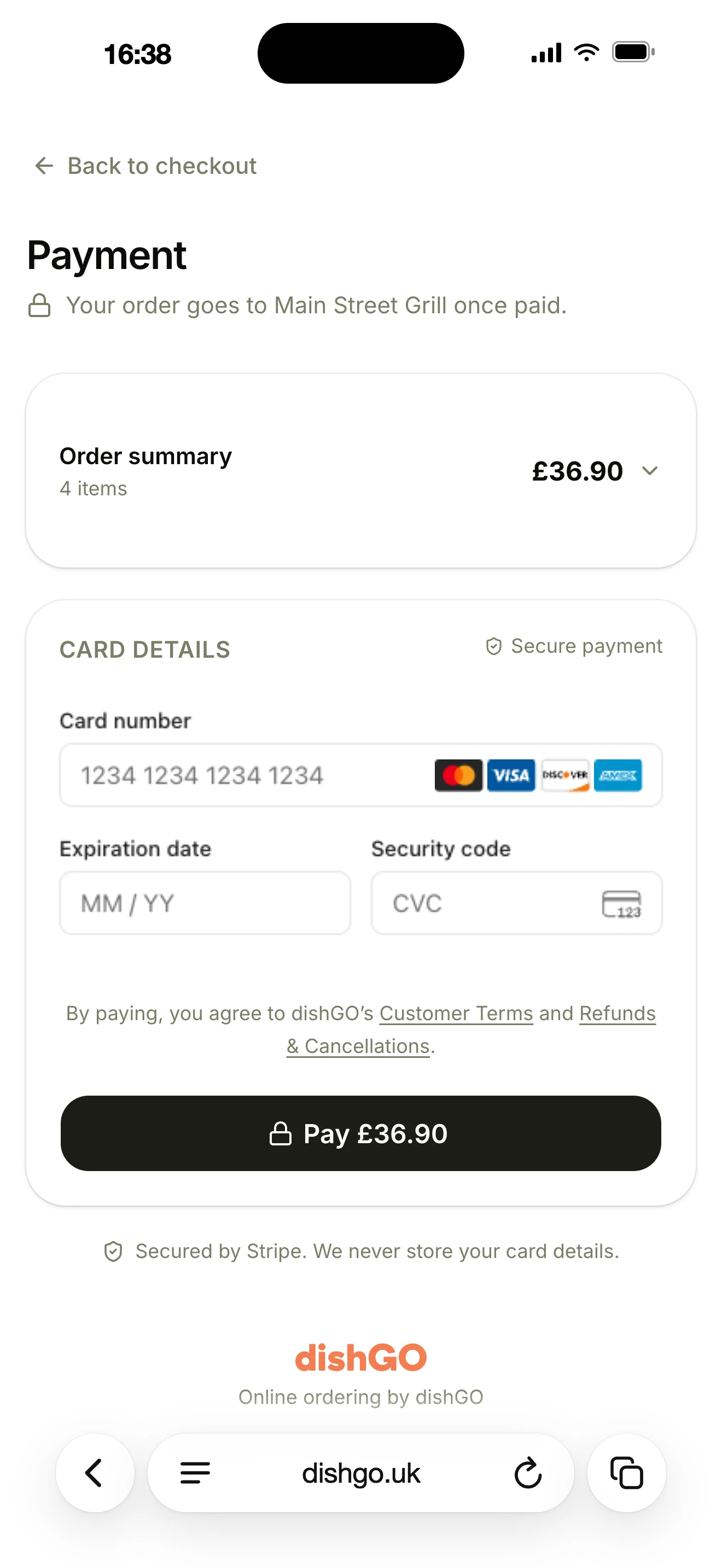
Customers pay by card on your page. The money goes into your own Stripe account; dishGO never holds it.
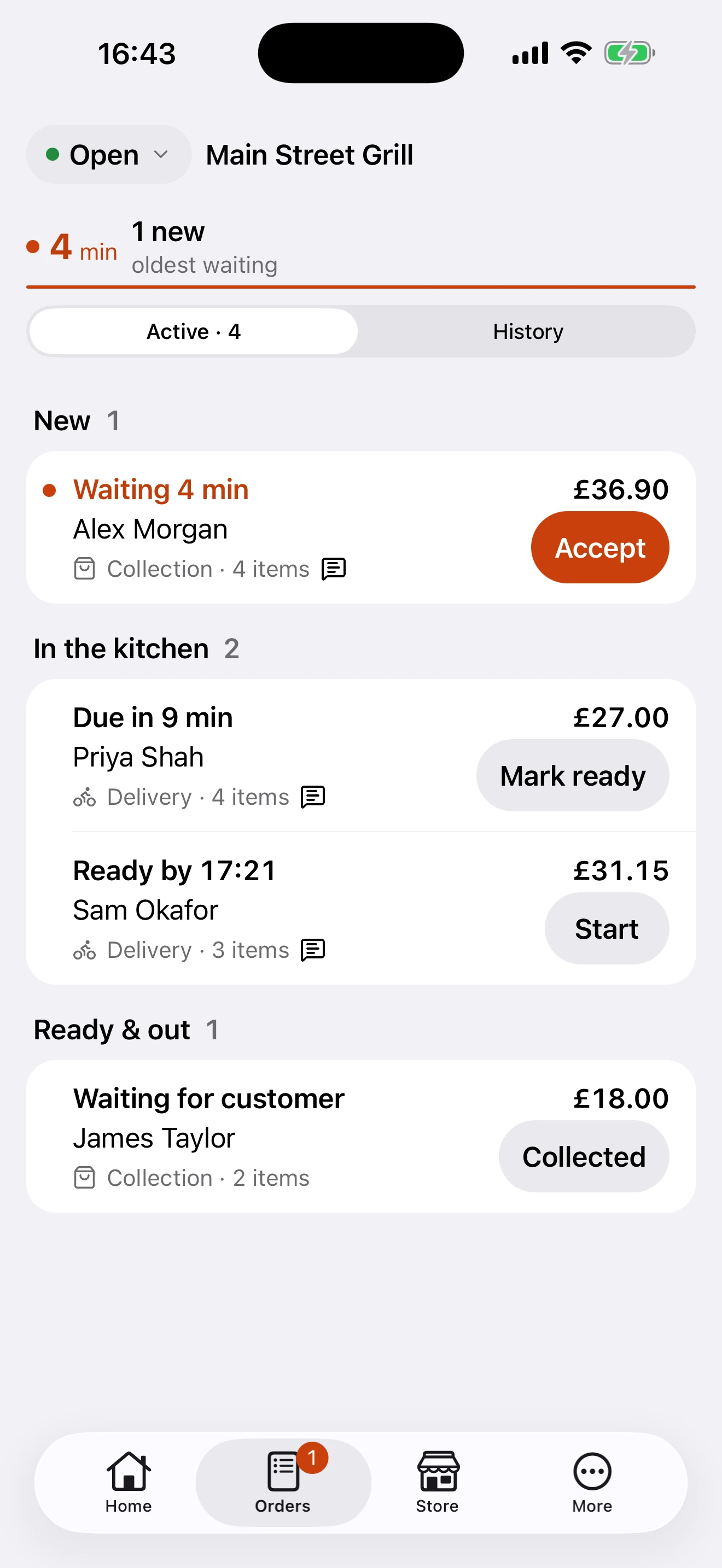
Only paid orders reach you, with a push notification, sound and email. Accept in dishGO Business, and a ticket can print in the kitchen (beta).
Pricing
3.5%per paid order
That’s the whole of our fee. dishGO only takes it when an order is paid, so a quiet week costs you nothing. Stripe charges its card fee separately, at your own account’s rates.
Some restaurants will be better off with a free tool, and that’s fine. To compare fairly, here’s everything 3.5% of each paid order covers.
Not in the 3.5%: card processing, which Stripe charges separately.
dishGO Business
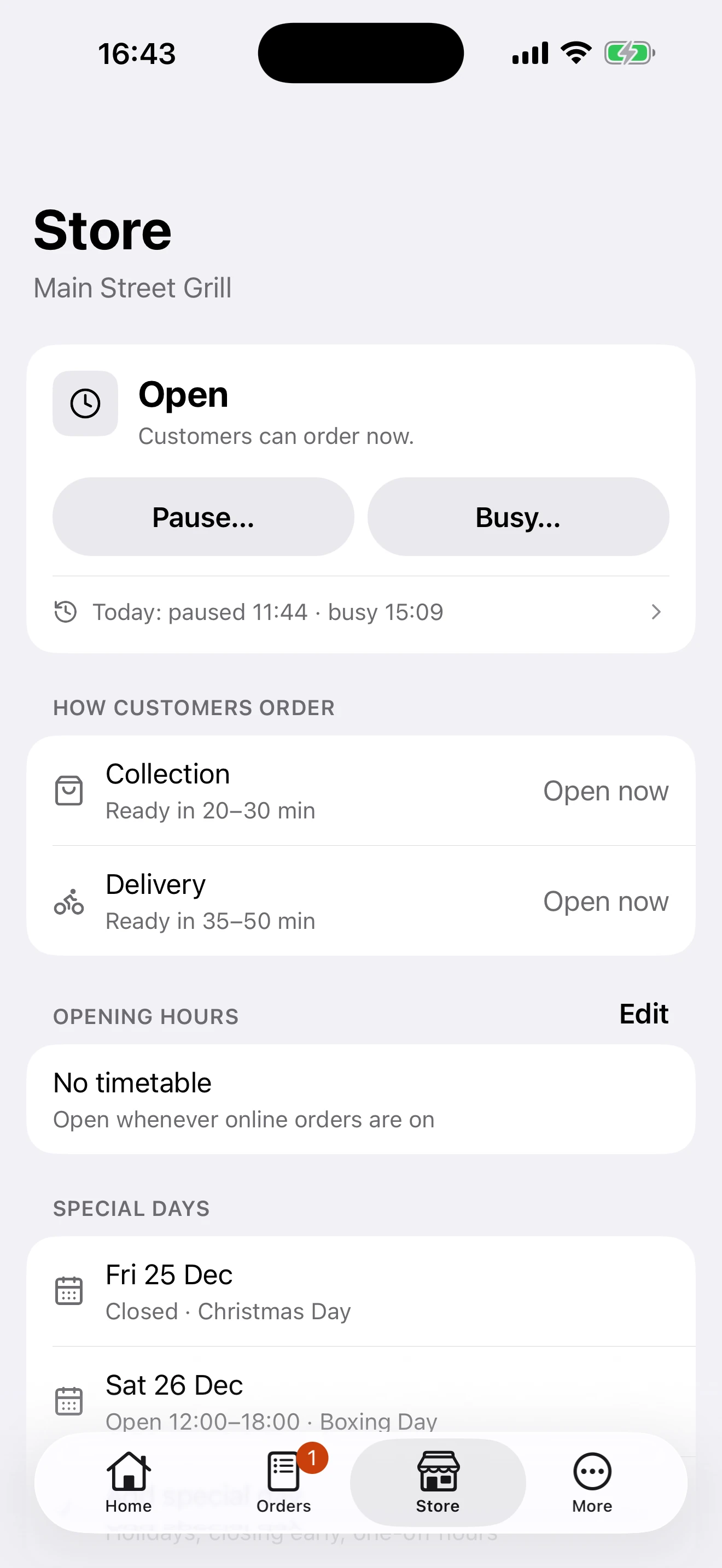
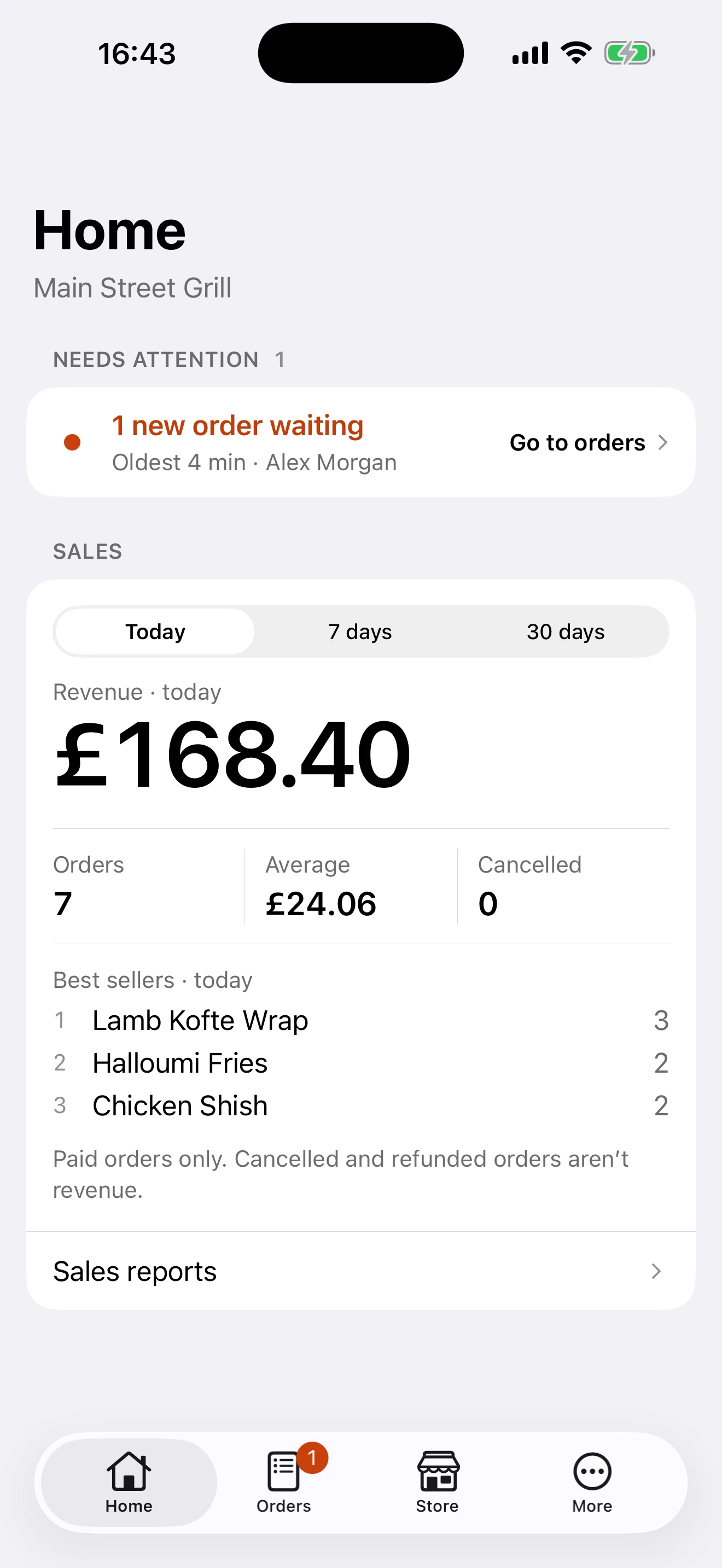
Only paid orders reach you. Each one arrives with a push notification, sound and email. Accept it, mark it preparing and ready, call or map the customer, or refund in one tap.
Direct orders
Customers order from your own page and the order comes straight to your team. dishGO’s terms don’t ask for exclusivity, so you can stay on Just Eat, Deliveroo or Uber Eats and give the people who already know you a direct way to order from you.
With your restaurant front and centre.
Or a subdomain like order.yourrestaurant.co.uk.
With every order, straight to your team.
Keep any marketplace you already use.
Put it on GoogleWhen the page is live, add the same URL to Google Business Profile so Search and Maps can send people to you. How to add an online ordering link
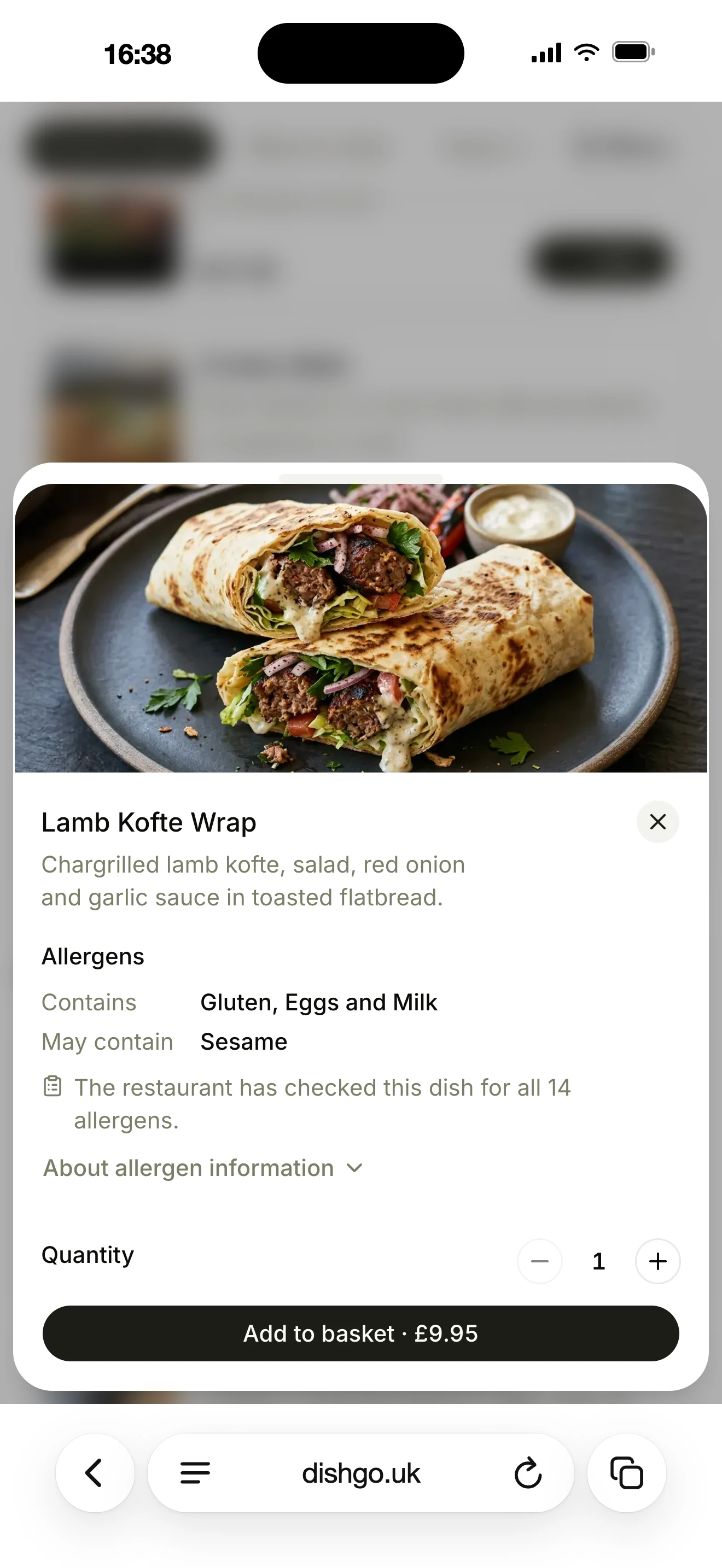
Allergens
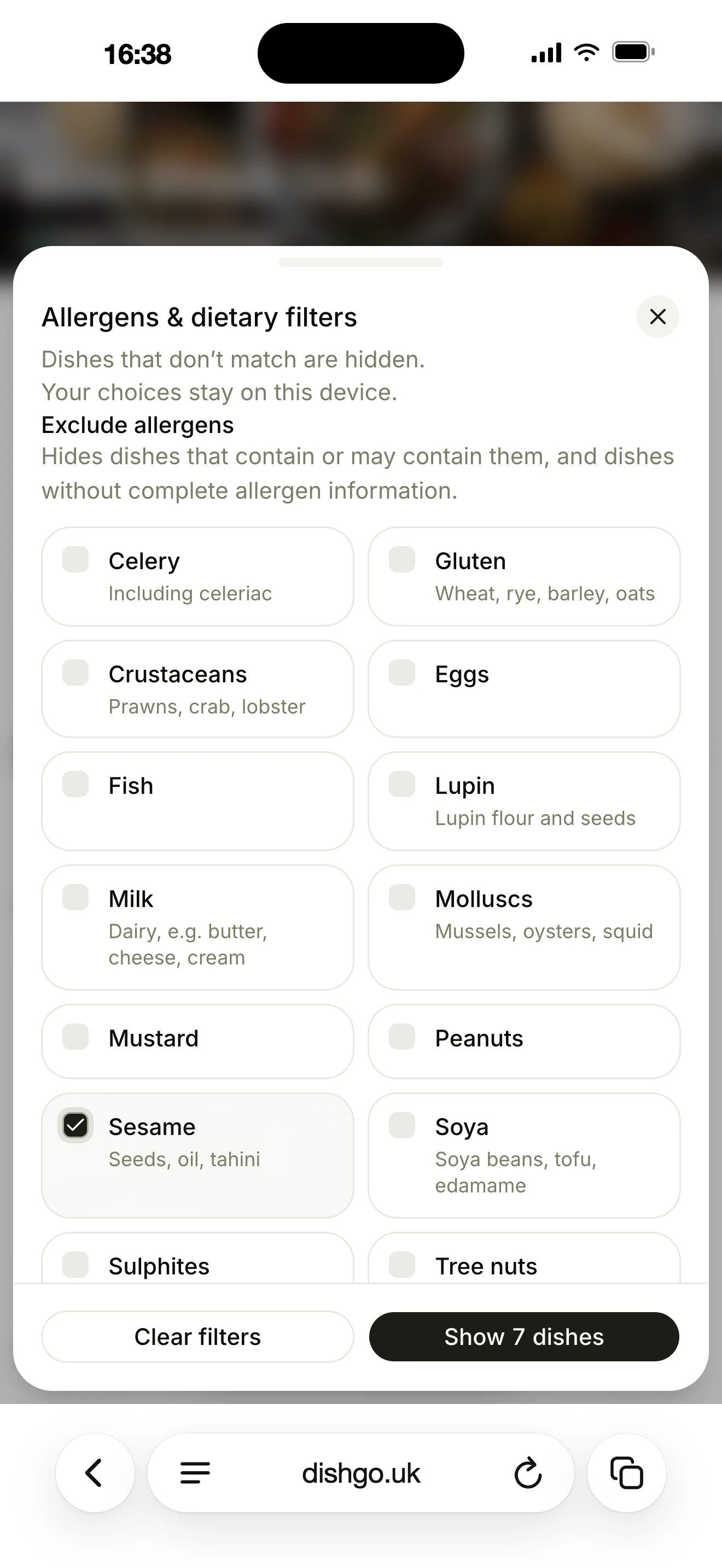
Allergen filtering switches on once you’ve declared allergens on your menu. Missing information is never treated as safe.
For each dish and option, mark which of the UK’s 14 allergens it contains or may contain, then confirm you’ve checked all 14.
Customers can hide dishes with the allergens they need to avoid, and filter Vegetarian, Vegan or Halal.
Every dish shows its allergens, with a reminder to speak to you before ordering if they have an allergy.
| If the dish… | It is |
|---|---|
| Contains it | Hidden |
| May contain it | Hidden |
| Hasn’t been declared yet | Hidden |
| Is declared without it, all 14 checked | Shown, if its required options are declared without it too |
Getting started
We’d rather tell you now than halfway through signing up.
We find your restaurant on Google and import your name, address, phone number and hours.
Customers pay into it. Stripe verifies your business when you connect it.
Dishes, prices, photos and options, added in your dashboard.
Imported from Google. Check them before you switch on ordering.
Nothing to buy. Run it from the phone, tablet or computer you already have. A receipt printer is optional.
How long? It depends on Stripe verifying your business and the size of your menu. No Google listing yet, or stuck on a step? Message us on WhatsApp.
Live examples
UK restaurants taking orders on their own pages with dishGO. Open one to see what your customers would see.
Wrexham
Sushi Box uses dishGO for collection ordering on its own domain, sushiboxwrexham.co.uk.
Denton
Istanbul Grill uses dishGO for collection ordering at order.istanbulgrill.uk.
Weaverham
Tawan Chay uses dishGO for collection ordering at order.tawanchay.com, including published promotions.
Ferndown
Aroma uses dishGO for collection ordering at order.aromarestaurant.co.uk, with scheduled menu categories.
See more live examples, including other UK restaurants using dishGO for collection ordering.
FAQ
Straight answers about dishGO for independent restaurants and takeaways.
Not answered here?
WhatsApp us on +44 7503 695000, Monday to Friday, 9am to 6pm, or send us a message.
Start your ordering page for 3.5% per paid order. No monthly fee, no setup fee, no contract.
Questions first? WhatsApp us on +44 7503 695000, Monday to Friday, 9am to 6pm, or send us a message.